Features How It Works Knowledge Hub FAQ Contact

Lean manufacturing for steel fabrication

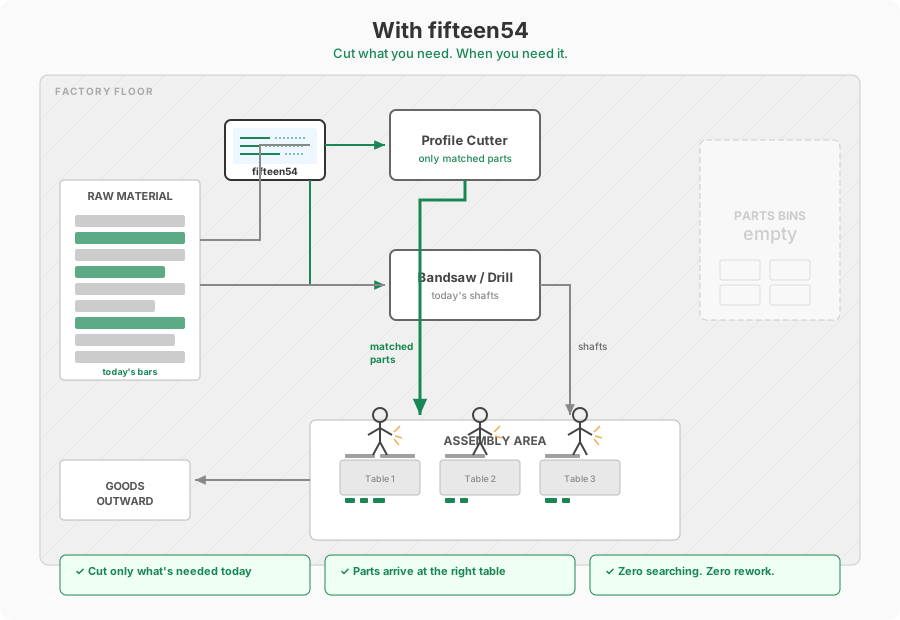
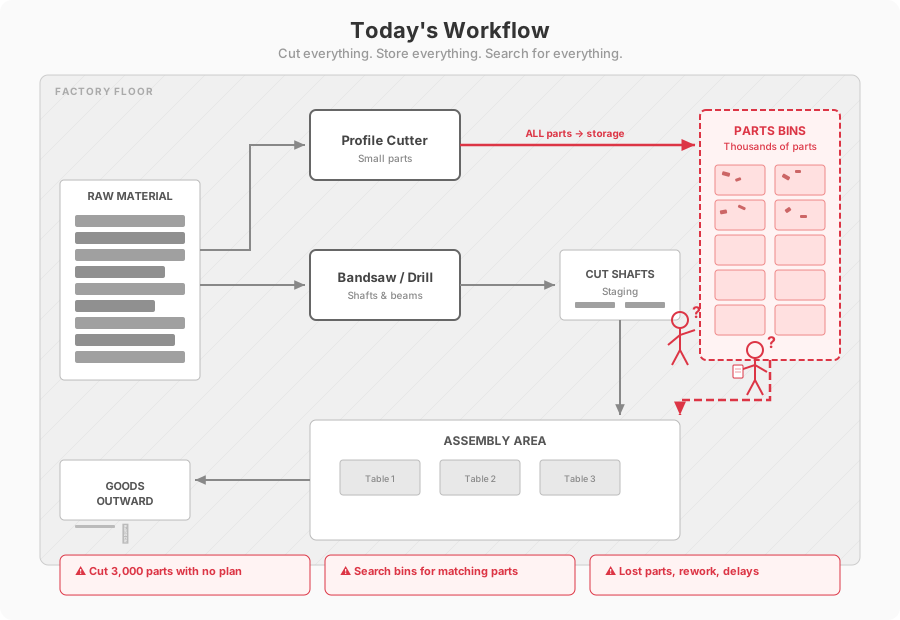
Stop cutting thousands of parts blind. Know exactly which small parts match today's shafts — cut them just in time, not just in case.

Get Started
Just-in-Time Processing Zero Searching Australian Made
See it in action

Drop a file. The platform does the rest.

Fabrication runs on paperwork.
It shouldn't.

Most workshops still rely on manual processes that haven't changed in decades. Every hour spent on admin is an hour not spent fabricating.

Manual BOM Extraction

Counting members from drawings. Copying quantities into spreadsheets. One mistake ripples through the entire order.

Paper-Based Ordering

Phone calls, emails, manual manifests. Every order is a fresh exercise in data entry and version control.

Compliance Overhead

Heat certs in folders. Inspection records in filing cabinets. When an auditor asks for proof, it takes days to compile.

BOM & Steel Nesting

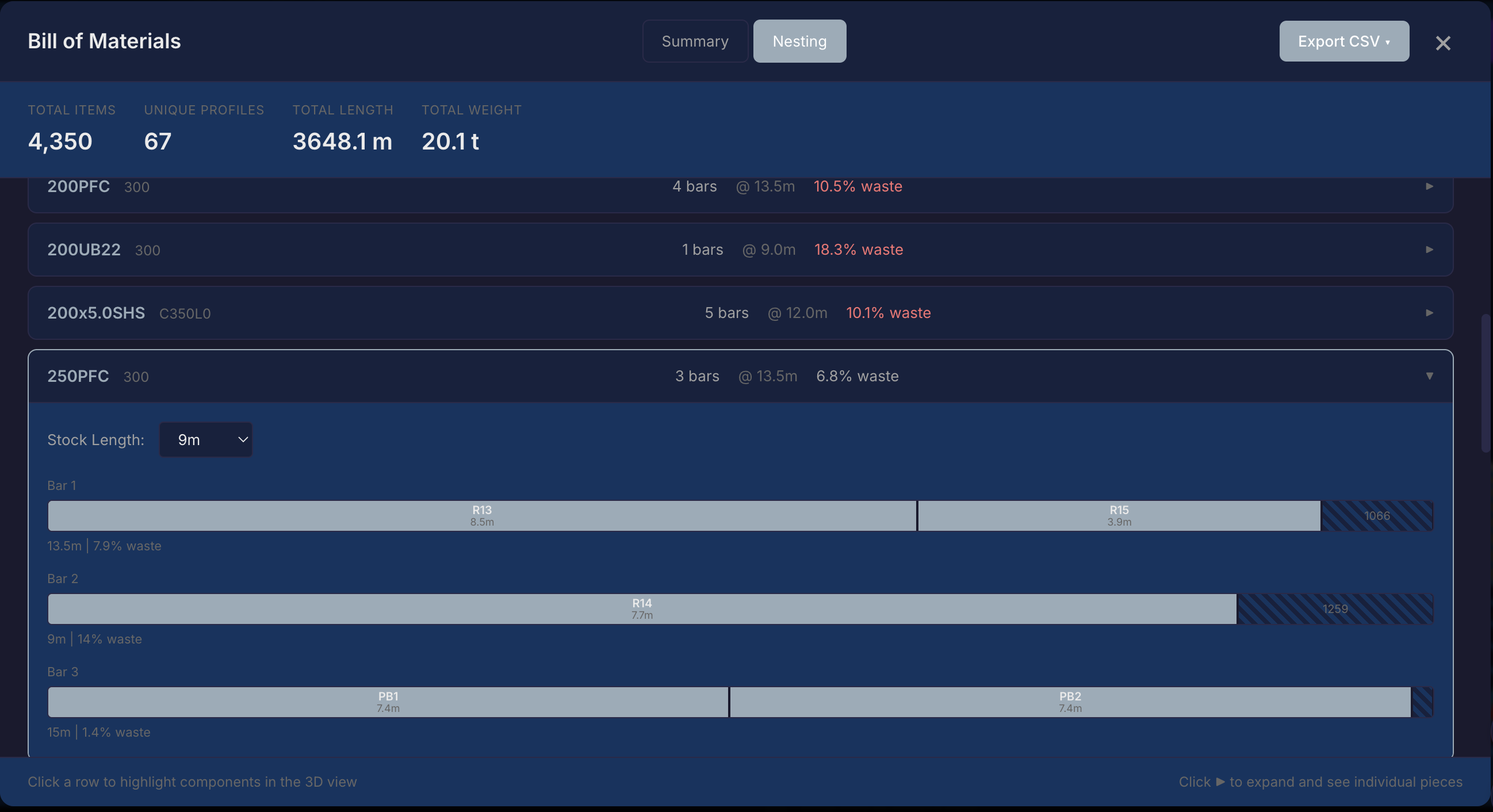
The platform reads your IFC model and generates a complete bill of materials — every profile, grade, length, and weight. Steel nesting optimises bar allocation with real waste calculations.

  • Full BOM extracted in seconds, not hours
  • Bar-by-bar nesting with waste percentage
  • Export to CSV or order directly from the platform
Fifteen54 BOM nesting — 4,806 items extracted with 8.1% waste optimisation across 33 bars
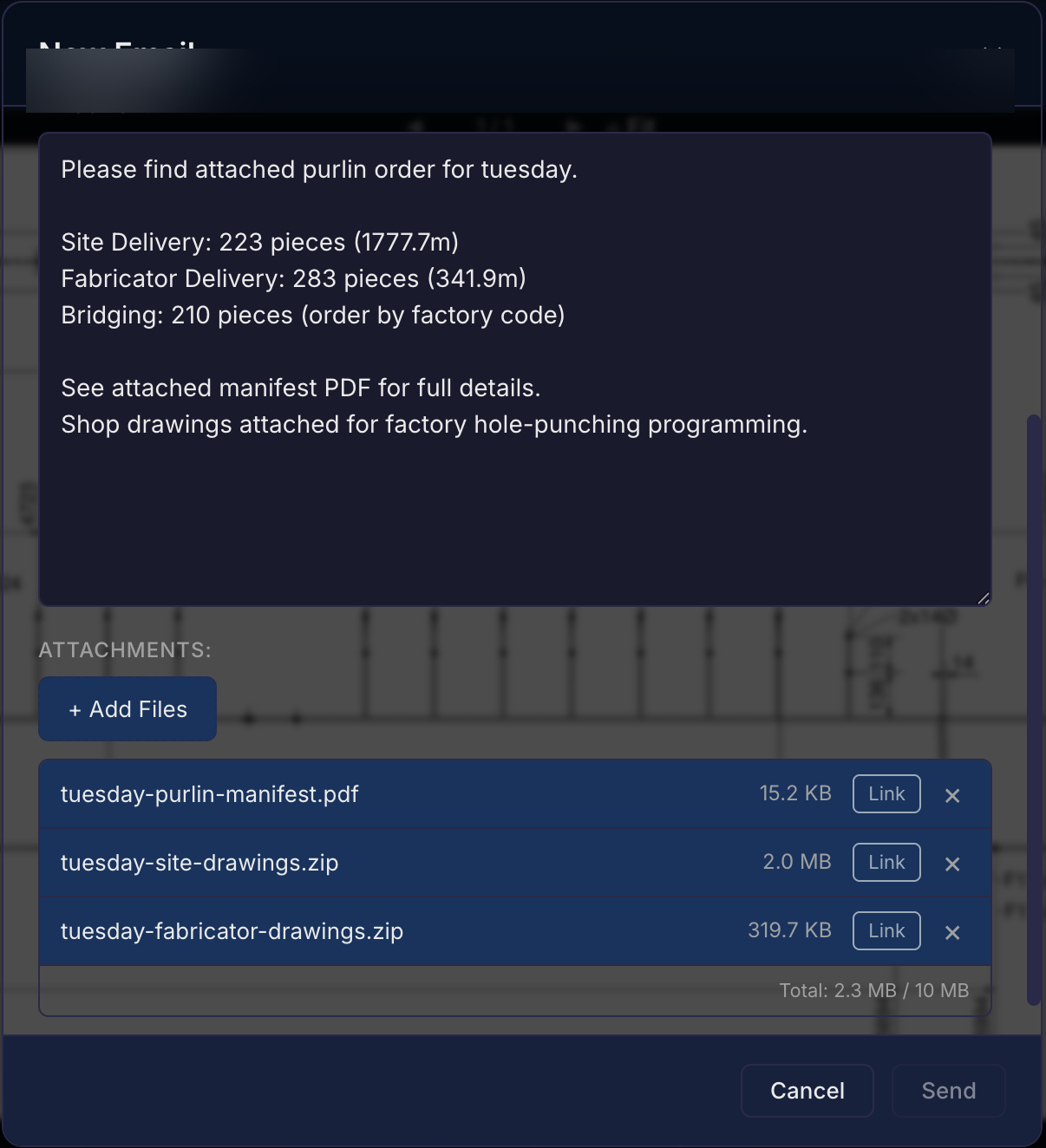
Fifteen54 ordering — automated email with manifest PDF and shop drawings attached

Order Steel, Purlins & Bolts

Generate orders directly from the BOM. Manifests and shop drawings are compiled and attached automatically. Send to your supplier or workshop in one click.

  • Steel, purlins, and bolts — separate workflows
  • Manifests auto-generated with delivery splits
  • Supplier portal for stock confirmation

Fabricators See Everything Relevant at a Glance

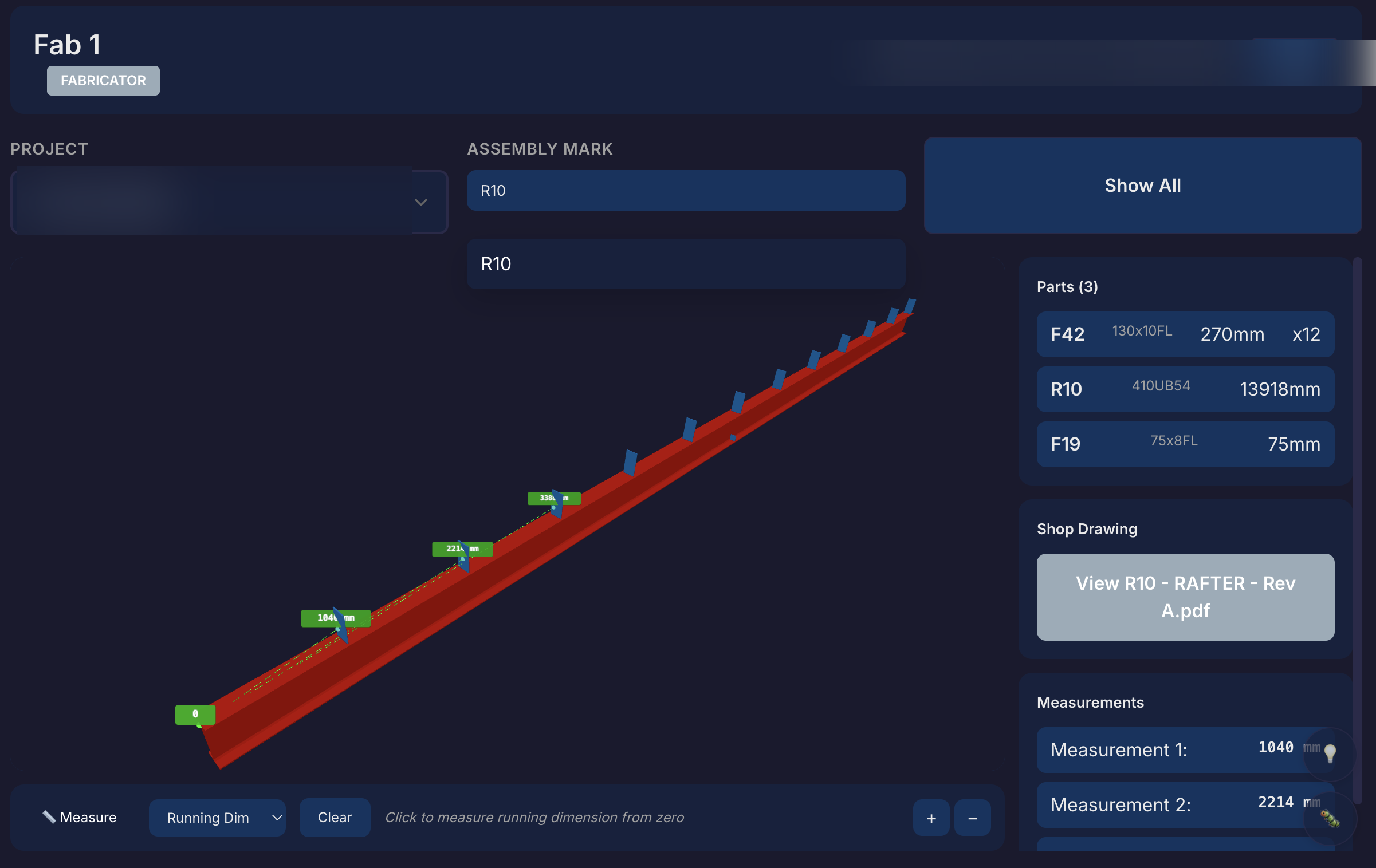
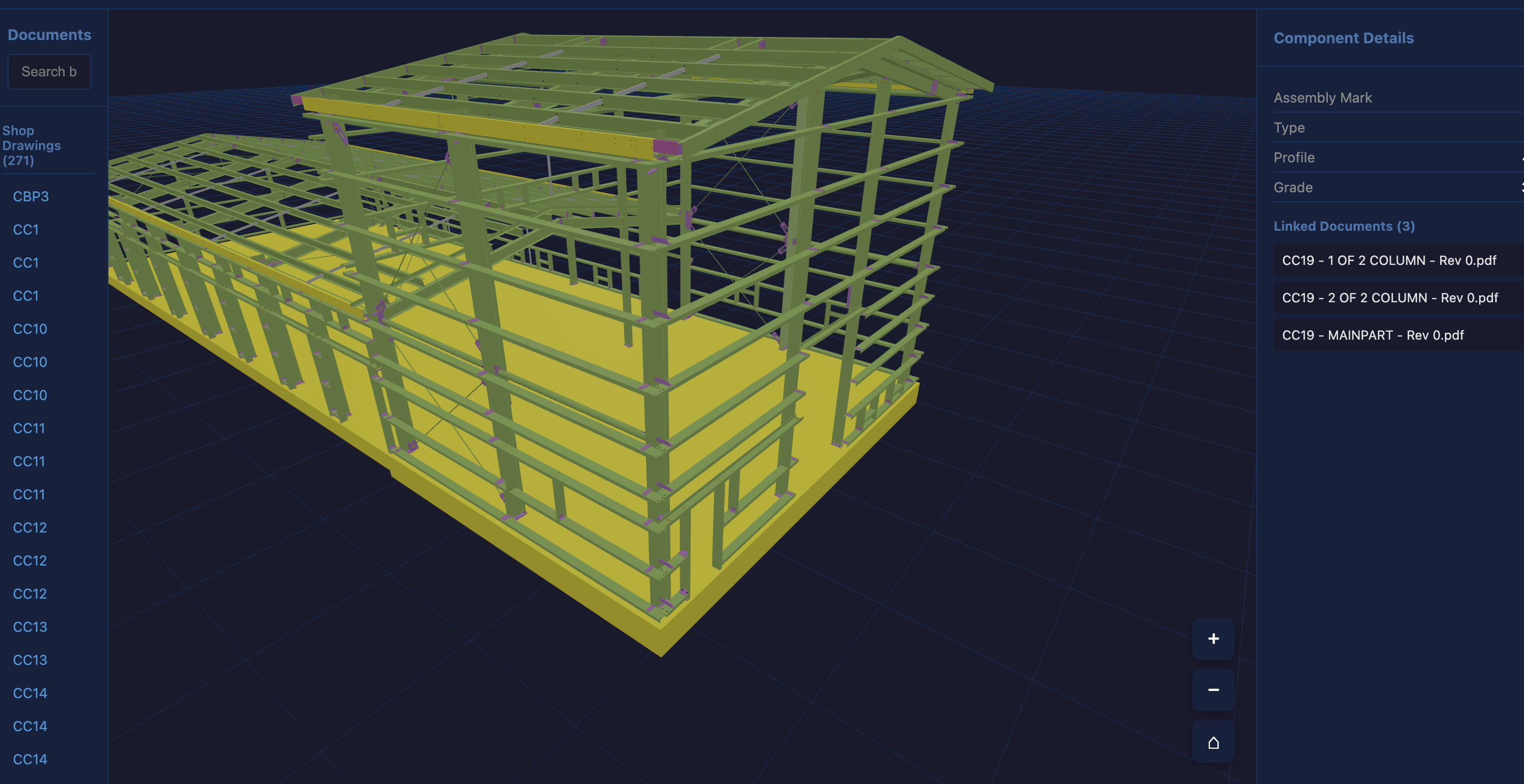
Designed for tablet, built for the workshop. Your team gets a live 3D view of every assembly they're working on — tap a mark, see the parts, grab a dimension. No more walking to the office to check a drawing.

  • Tap any mark — parts, profiles, and dimensions on screen
  • Missing a dimension? Measure it yourself, right there
  • Revision warnings — always working from the latest drawing
  • Shop drawings linked and one tap away
Fifteen54 assembly detail — CR10 rafter with parts list, 3D measurement, and linked shop drawings
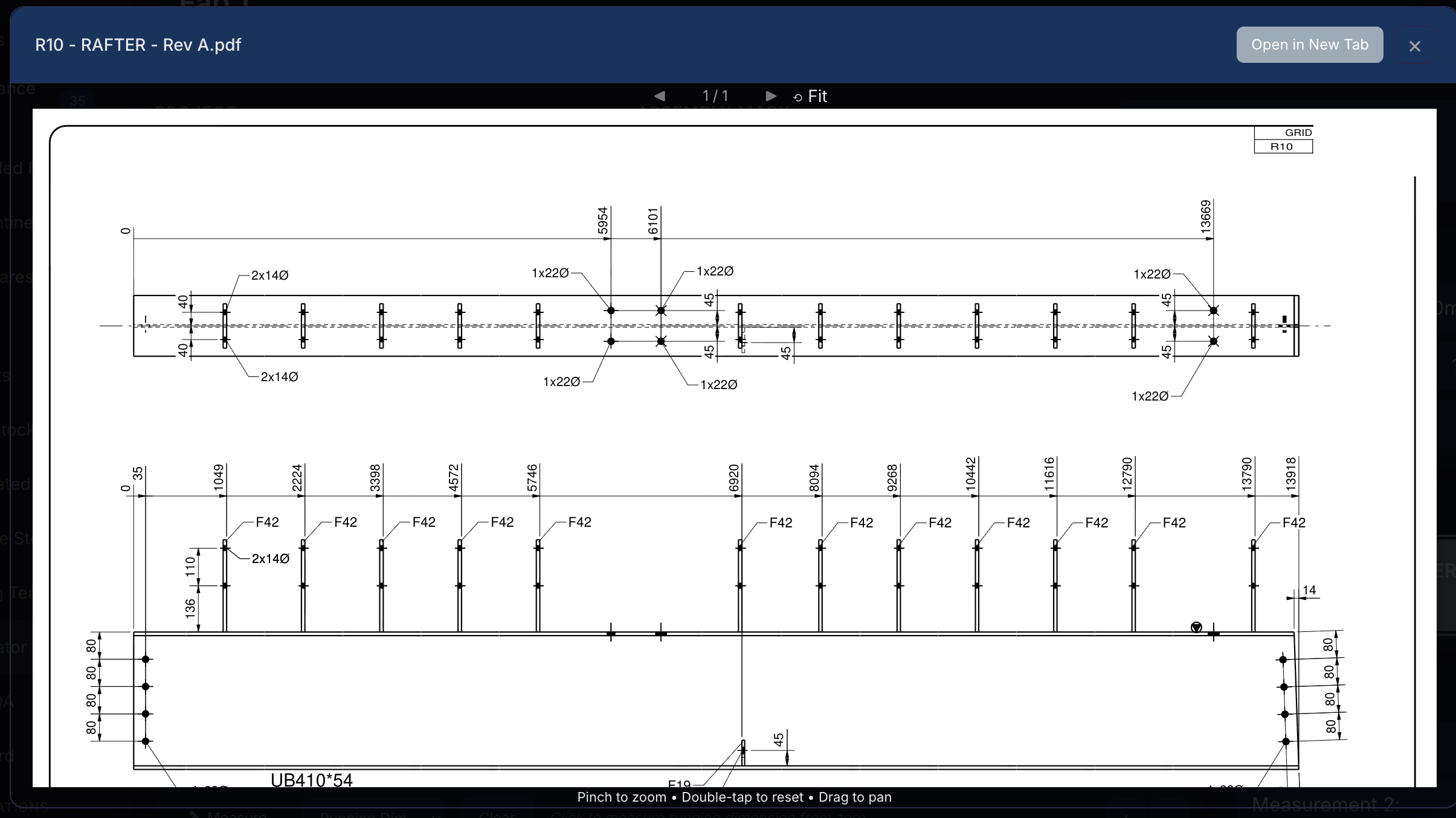
Fifteen54 drawing viewer — current revision shop drawing accessed directly from the 3D model

Current Drawings. Anywhere. Anyone.

Project manager clicks a part on the model — drawing opens. Boilermaker taps the mark he's fabricating — same drawing, same viewer. Desktop or tablet, office or shop floor. One click, current revision, every time.

  • Click a part in the model or search by mark — drawing opens instantly
  • Same experience on desktop and tablet
  • Always the latest revision — no outdated prints on the floor
  • Boilermaker sees his drawings linked to what he's working on

Works Offline. Even on Remote Sites.

Export a self-contained model with every drawing embedded. Save it to a laptop or tablet — the full 3D viewer, document search, and inline drawing viewer all work without an internet connection. Perfect for remote sites where connectivity isn't guaranteed.

  • Single file — 3D model with all drawings embedded
  • Search by mark, click to open drawings — no internet needed
  • Same viewer the workshop uses, works on any device
  • Site crew are always working from current revisions
Fifteen54 offline handover — self-contained 3D model with searchable drawings, works without internet

Three Steps.
Zero Paperwork.

No training required. Drop in your IFC file and shop drawings — we match the drawings to the model automatically. No data entry.

1

Upload

Drop your IFC file into the platform. The 3D model loads in seconds with full navigation.

2

Extract

BOMs, nesting plans, and assembly data are generated automatically. No manual counting.

3

Execute

Order materials, distribute drawings, and track compliance — all from the same model.

Frequently Asked

Your IFC model contains the full assembly structure — every column, beam, and brace with its child components (cleats, stiffeners, gussets). We parse this automatically when you upload. When you select which shafts to cut today, the system instantly identifies every small part that belongs to those assemblies.

No. Your bandsaw, profile cutter, and assembly area stay exactly where they are. The only change is the information flow — instead of cutting blind, your operators get a matched cut list each morning. Same machines, same people, better sequence.

Most detailers deliver IFC alongside their Tekla or SDS2 output — you may already have them without knowing. If not, we can work with shop drawings and BOMs directly. The platform adapts to your workflow, not the other way around.

Upload an IFC file and you'll have a navigable 3D model with extracted BOMs within minutes. No installation, no training sessions, no IT department needed. It runs in your browser on any device — desktop, tablet, or phone on the shop floor.

Full traceability comes built in — heat certificates linked to components, inspection records, paint and blast tracking. You get compliance documentation as a natural byproduct of using the system, not as extra paperwork. When an auditor asks, the evidence is already there.

Ready to see it in action?

We'll show you what the platform can do for your workshop.

Get in Touch